How Temporary Email Works | Step-by-Step Explained
You've probably seen the option to "continue with email" on a website and wondered whether you really want to hand over your personal address—only to be flooded with newsletters and spam for the next several years. That's where temporary email comes in. But have you ever stopped to ask: how does temp mail actually work?
Behind the simple interface of a disposable email service lies a clever system designed to protect your privacy while still allowing you to receive the emails you need—just temporarily. In this guide, we'll walk through exactly how temporary email systems operate, step by step, using TempZap as a real-world example of a reliable temp mail generator.
What is Temporary Email?
Temporary email—often called disposable email or temp mail—is a short-lived email address that requires no registration, no personal information, and no long-term commitment. Instead of giving out your real email address, you generate a temporary one that exists just long enough to receive a verification link, confirmation email, or one-time message.
Once the purpose is served, the address self-destructs. Unlike traditional email services like Gmail or Outlook, temporary email providers don't store your messages indefinitely. They are designed for fleeting interactions, not permanent communication.
Services like TempZap specialize in providing these anonymous, disposable inboxes instantly and securely.
Why Temporary Email Exists
Before diving into the mechanics, it helps to understand why temporary email services were created in the first place. The answer lies in three core user needs:
Spam Prevention
Every time you sign up for a newsletter, download a free ebook, or register for a forum, you risk adding your email address to marketing lists that sell your data. Temporary email acts as a shield, ensuring your primary inbox remains clean and spam-free.
Privacy Protection
Your email address is a unique identifier that can be used to track your activity across the web. Disposable email breaks that link, allowing you to interact with websites without leaving a digital footprint tied to your identity.
Anonymous Signups
From testing software to joining discussion boards, sometimes you need to verify an account without revealing who you are. Temporary email enables true anonymity for these scenarios.
How Temporary Email Works (Step-by-Step)
Now let's get into the heart of the matter: the actual process behind how temporary email systems operate. Below is a clear, step-by-step breakdown of what happens when you use a service like TempZap.
Step 1: You Generate a Temporary Email Address
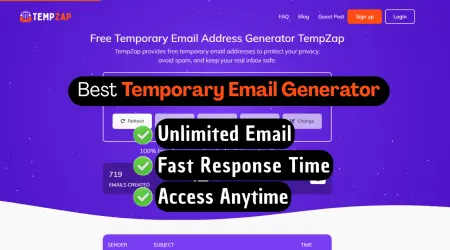
When you visit a disposable email service, the system automatically generates a unique, random email address for you. No signup form, no password, no personal details required. With TempZap, you're given an address instantly upon loading the page.
This address typically follows a format like randomstring@domain.com. The random string ensures that no one can easily guess your inbox address, adding a layer of security.
Step 2: The System Assigns a Temporary Inbox
Behind the scenes, the service creates a lightweight inbox associated with that random address. This inbox exists only in temporary storage—usually in a database or memory cache—and is linked to your current browser session.
Unlike traditional email services that allocate significant server resources per user, temporary inboxes are designed to be minimal and short-lived.
Step 3: You Use the Address for Signups or Verification
You copy the generated email address and paste it into the signup form of any website, app, or service that requires email verification. From the website's perspective, it looks like any other email address.
Step 4: Emails Are Received in Real Time
When the website sends an email to your temporary address, the system's mail server receives it just like any standard email server would. However, instead of routing it to a permanent mailbox, the service intercepts the email and displays it in your temporary inbox interface.
With TempZap, messages appear instantly in the browser—no refresh needed, thanks to real-time updates. You can read the email, click verification links, or retrieve one-time passwords directly from the dashboard.
Step 5: Messages Are Stored Temporarily
The emails sit in your disposable inbox for a predetermined duration. During this time, you have full access to read them, copy links, or view attachments (depending on the service's capabilities).
Step 6: The Inbox Expires and Self-Destructs
After the set time limit—which can range from minutes to days depending on the provider—the inbox and all its messages are permanently deleted. There is no way to recover them afterward. This expiration is the defining feature of temporary email: it's designed to be ephemeral.
With TempZap, you have control over how long your inbox remains active, giving you flexibility based on your needs.
Behind the Scenes (Technical Overview)
For those curious about what happens under the hood, here's a simplified look at the technology powering temporary email systems.
Mail Servers and SMTP
Like any email service, temporary email providers operate mail servers that use SMTP (Simple Mail Transfer Protocol) to receive messages from sending servers. When a website sends an email to your temp address, the sending server looks up the domain's MX (Mail Exchange) records and delivers the message to the temp mail provider's servers.
Routing and Temporary Storage
Once received, the system checks whether the recipient address (your random string) corresponds to an active temporary inbox. If it does, the message is stored temporarily—often in a lightweight database or even in-memory storage like Redis for speed. The system then pushes that message to your browser session via WebSocket connections or periodic polling so you see it instantly.
Automatic Expiration
A background process constantly monitors inbox ages. When an inbox exceeds its time limit, the system deletes it along with all associated messages. This automated cleanup ensures the service remains lightweight and that no data is retained longer than necessary.
Services like TempZap implement these systems with privacy-first principles, ensuring that no personal data is ever required or permanently stored.
Features of a Temporary Email System
Modern disposable email services come with several key features that make them both practical and user-friendly:
- Instant Email Creation: No waiting, no registration. A working email address is available in seconds.
- No Registration Required: Unlike traditional email providers, you never need to provide a phone number, backup email, or personal details.
- Auto-Expiring Inbox: Inboxes vanish automatically after a set time, ensuring no leftover data.
- Real-Time Message Display: Emails appear as soon as they're received, allowing for quick verification.
- Spam Protection: By using disposable addresses, your primary inbox never sees the promotional or marketing emails that often accompany online signups.
- Multiple Address Generation: Many services allow you to generate multiple temporary addresses for different purposes.
Benefits of Using Temporary Email
Understanding how temporary email works reveals why millions of users rely on it daily. Here are the primary benefits:
Privacy Protection
Your real email address is a key piece of personal data. By using a temporary email, you keep it out of databases, marketing lists, and potential data breaches.
Avoid Spam
Perhaps the most immediate benefit: your primary inbox stays clean. No more sifting through promotional emails to find what matters.
Safe Testing Environment
For developers and testers, temporary email provides a safe way to test signup flows, email notifications, and account verification without using real user data.
Anonymous Usage
Whether you're joining a sensitive forum or testing a competitor's platform, temporary email lets you maintain complete anonymity.
No Commitment
Unlike creating a new Gmail account that requires ongoing management, temporary email serves its purpose and disappears—no cleanup required.
Services like TempZap deliver all these benefits with an intuitive, no-fuss interface.
Limitations of Temporary Email
While temporary email is incredibly useful, it's not a solution for every situation. Understanding its limitations helps you use it appropriately.
No Long-Term Storage
Temporary inboxes are designed to expire. If you need to receive emails months later—such as password resets or ongoing subscription confirmations—a disposable email is not the right choice.
Not Suitable for Sensitive Accounts
Never use temporary email for banking, healthcare portals, government services, or any account where you store valuable data. Losing access to the inbox means losing access to the account.
Inbox Expiration
If you forget to complete a verification within the time limit, you'll have to start over. Always act quickly when using temp mail for time-sensitive tasks.
Limited Sending Capabilities
Most temporary email services are receive-only. They're designed to accept verification emails, not to send outgoing messages.
Real-World Use Cases
Now that you understand how temporary email works and its limitations, here are the most common scenarios where it shines:
- Website Signups: Forums, community boards, and content sites often require email registration. Use temp mail to browse without commitment.
- Free Trials: Streaming services, SaaS tools, and subscription platforms let you test their product without giving your real email—or worrying about forgotten auto-renewals.
- App Testing: Developers and QA testers use temporary email to create test accounts without polluting their CRM with fake data.
- Downloading Resources: Many sites ask for email before allowing ebook downloads or whitepaper access. Temp mail gets you the content without adding your address to sales funnels.
- Wi-Fi Sign-Ins: Airports, cafes, and hotels often require email for free Wi-Fi. Protect your privacy by using a temporary address.
- Classifieds and Marketplaces: When selling items locally, use temp mail to communicate without exposing your personal email to strangers.
Frequently Asked Questions (FAQ)
How does temp mail receive emails?
Temporary email services operate their own mail servers that accept incoming messages just like any email provider. When a message arrives for your generated address, the system displays it in your browser-based inbox in real time.
Is temporary email secure?
When using a reputable service like TempZap that offers HTTPS encryption, temporary email is secure for its intended purposes (verification, signups, spam avoidance). However, it is not designed for transmitting sensitive personal or financial data.
How long does a temp inbox last?
The lifespan varies by provider. Some services offer inboxes that last 10 minutes, while others allow durations ranging from hours to several days. TempZap offers flexible expiration options to match your needs.
Can temp mail receive attachments?
Many temporary email services, including TempZap, support receiving attachments. However, file size limits may apply, and it's not recommended for sensitive documents.
Can temporary emails be tracked?
The temporary email itself does not contain identifying information about you. However, the website you sign up for may track your IP address separately. Using a VPN alongside temporary email provides stronger anonymity.
Do I need to create an account to use temp mail?
No. The defining feature of temporary email is that no registration is required. You generate an address instantly and use it immediately.
Can I use the same temporary email multiple times?
Most services generate a new address each time you visit. If you need multiple verifications simultaneously, you can often generate multiple addresses or keep the same inbox open until your tasks are complete.
Conclusion
Understanding how temporary email works reveals a simple yet powerful tool for protecting your privacy online. By generating a disposable inbox that receives emails in real time and then self-destructs, services like TempZap give you control over your digital footprint.
Whether you're avoiding spam, testing applications, or maintaining anonymity, temporary email is a practical solution—provided you use it for the right scenarios. Remember its strengths (privacy, spam prevention) and limitations (no long-term storage, not for sensitive accounts), and you'll navigate the web more safely and cleanly.
Ready to experience it yourself? Visit TempZap to generate your first temporary email address in seconds and see the system in action.