
How to Add Mail to Your Favorite List on TempZap
Managing your temporary inbox can sometimes become difficult, especially when you receive multiple messages for different services. To make email management easier, TempZap provides a Favorite feature that allows users to mark important messages and access them quickly whenever needed.
By adding an email to your Favorite list, you can save important verification emails, OTP codes, or messages that you may need to review later. This guide explains how to easily add emails to your favorite list using TempZap.
Why Use the Favorite Email Feature?
Temporary inboxes are often used to receive verification emails, sign-up confirmations, or one-time passwords. Sometimes these emails are important and you may want to keep them accessible for a longer period.
The Favorite feature on TempZap helps solve this problem by allowing you to highlight important messages so they don’t get lost among new incoming emails.
Some benefits include:
Quickly find important emails
Save verification messages for later
Organize your temporary inbox
Avoid losing important information
This feature is especially helpful for users who frequently use temporary emails for registrations or testing services.
Step-by-Step Guide to Add an Email to Favorites
Adding an email to your favorite list on TempZap is very simple. Follow these steps:
1. Open Your TempZap Inbox
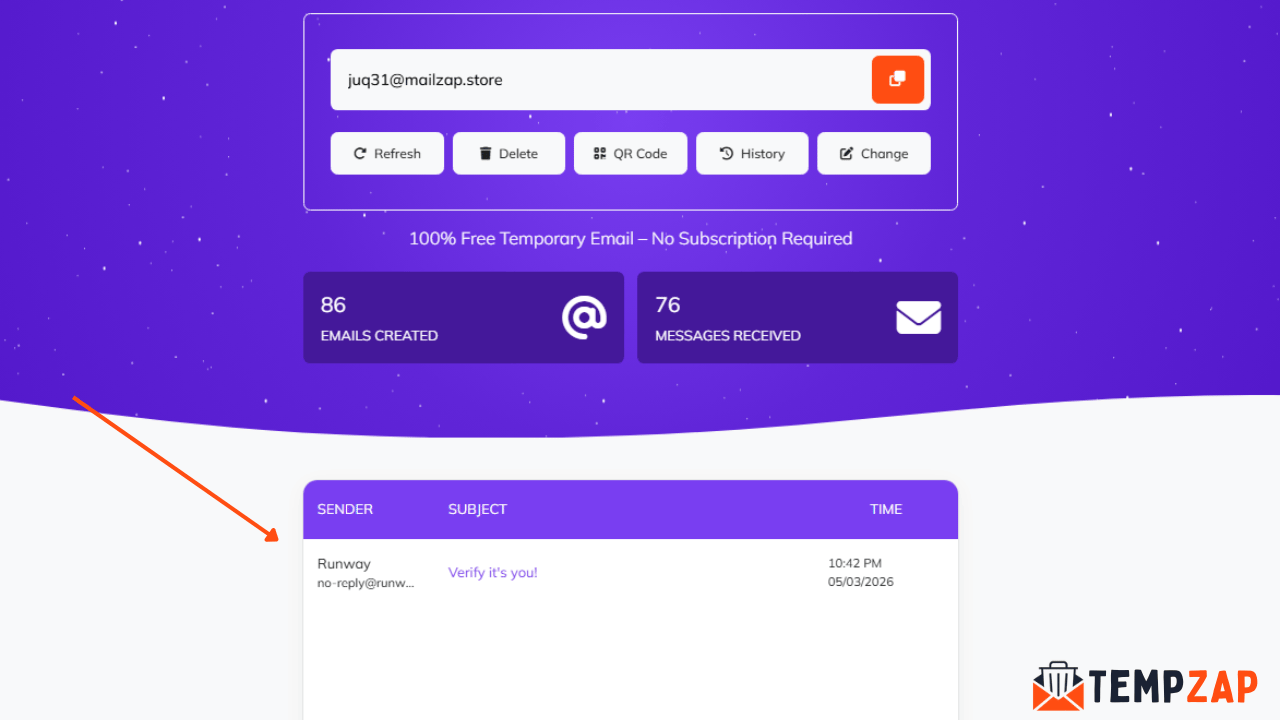
First, visit TempZap and generate your temporary email address. Your inbox will automatically load and start receiving emails.
2. Wait for Incoming Messages
Once you use your temporary email to sign up for a website or service, incoming messages will appear in your inbox.
3. Find the Message You Want to Save
Locate the email you want to keep. This could be a verification email, password reset message, or any important information.
4. Click the Favorite Icon
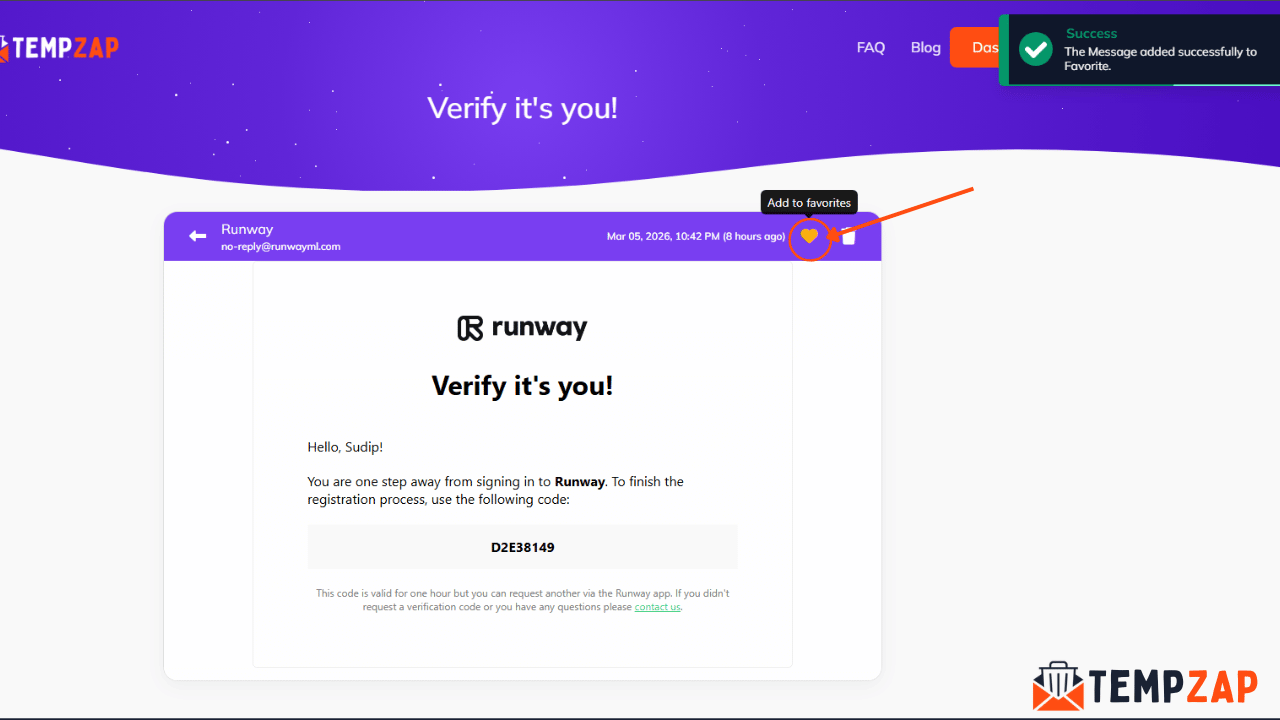
Next to each message, you will see a favorite or star icon. Click this icon to add the email to your favorite list.
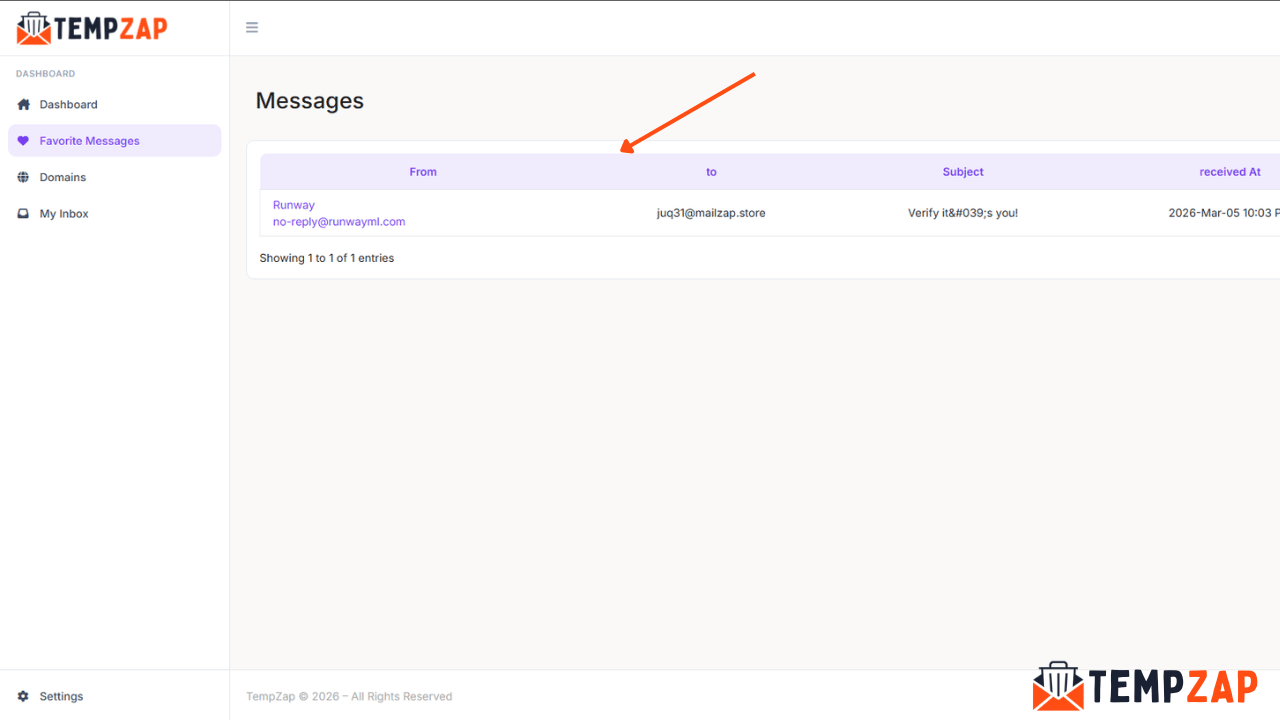
5. Access Your Favorite Emails
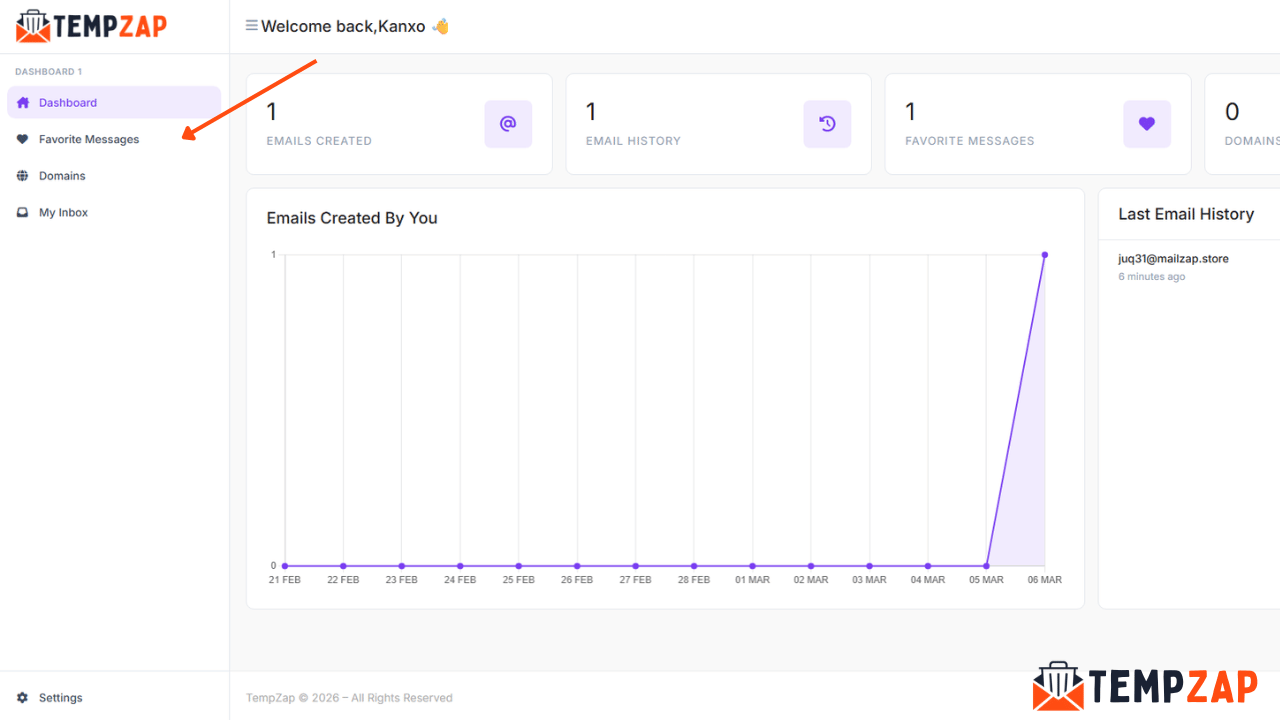
Once added, the message will appear in your Favorite Messages section inside your dashboard, allowing you to easily access it anytime.
When Should You Use the Favorite Feature?
The Favorite feature is useful in many situations. Here are a few examples where it can help:
Saving Verification Emails
Sometimes you may need to recheck verification links or confirmation details. Adding them to favorites ensures they remain easy to find.
Keeping Important OTP Messages
If you receive a one-time password for an account or service, saving the message can help if you need it again shortly.
Organizing Multiple Messages
Users who receive many emails can quickly organize their inbox by marking important messages as favorites.
Tips for Managing Your Temporary Inbox
To make the most of your temporary email experience, consider these tips:
Regularly review your inbox and remove unnecessary messages
Use the favorite feature for emails you may need later
Avoid sharing sensitive personal information
Use temporary email for sign-ups, testing, or newsletters
These small habits can help you keep your inbox clean and organized.
Why TempZap Makes Email Management Easy
TempZap is designed to provide a simple and secure temporary email service. With features like instant inbox access, quick email generation, and the ability to favorite messages, managing temporary emails becomes easier than ever.
Users can generate a new email address in seconds, receive messages instantly, and organize important emails without creating an account.
Conclusion
The Favorite email feature on TempZap is a simple but powerful tool that helps users manage their temporary inbox more effectively. By marking important emails as favorites, you can quickly access verification messages, OTP codes, and other essential information without searching through your entire inbox.
If you regularly use temporary email services, learning how to use this feature will help you stay organized and save time.
Start using TempZap today and experience a faster, cleaner, and more organized temporary email service.