
How to Use Premium Temporary Mail on TempZap for Free
Temporary email services are widely used to protect privacy and avoid spam when signing up for websites. However, many websites block common temporary email domains. To solve this issue, TempZap provides premium temporary email domains that are more widely accepted across websites.
In this guide, you will learn how to use premium temporary mail on TempZap for free. Premium domains are available only for logged-in users, which helps improve reliability and ensures the email addresses work on most websites.
What is Premium Temporary Mail?
Premium temporary mail is a special type of temporary email address that uses trusted domains. These domains are designed to be accepted by most websites and services that normally block public disposable email addresses.
Using premium temp mail on TempZap allows you to:
Register on websites that block regular temp mail
Receive verification emails and OTP codes
Maintain better email privacy
Avoid spam in your personal inbox
Best of all, TempZap provides this feature completely free for registered users.
Step-by-Step Guide to Use Premium Temporary Mail
Follow these simple steps to start using premium temporary email domains on TempZap.
Step 1: Create a TempZap Account
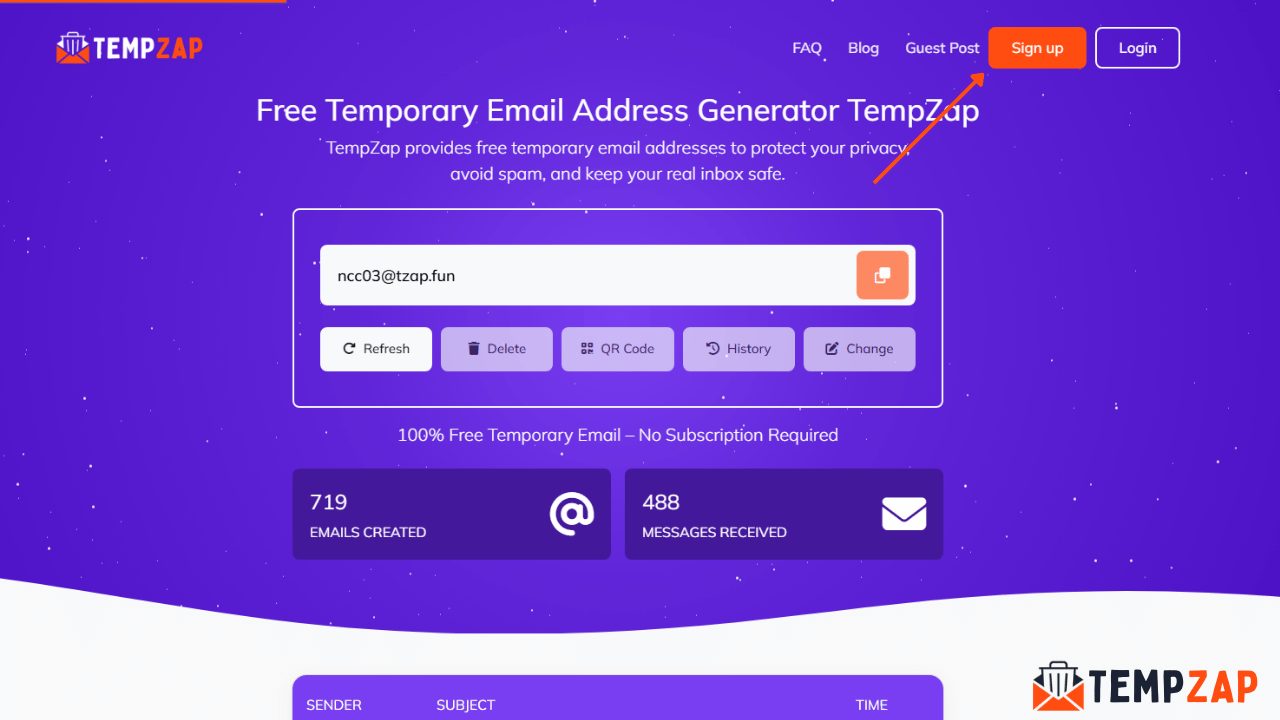
First, you need to create an account on TempZap because premium domains are only available for logged-in users.
Visit the TempZap website.
Click on Sign Up.
Enter your details such as name, email address, and password.
Verify your account and log in.
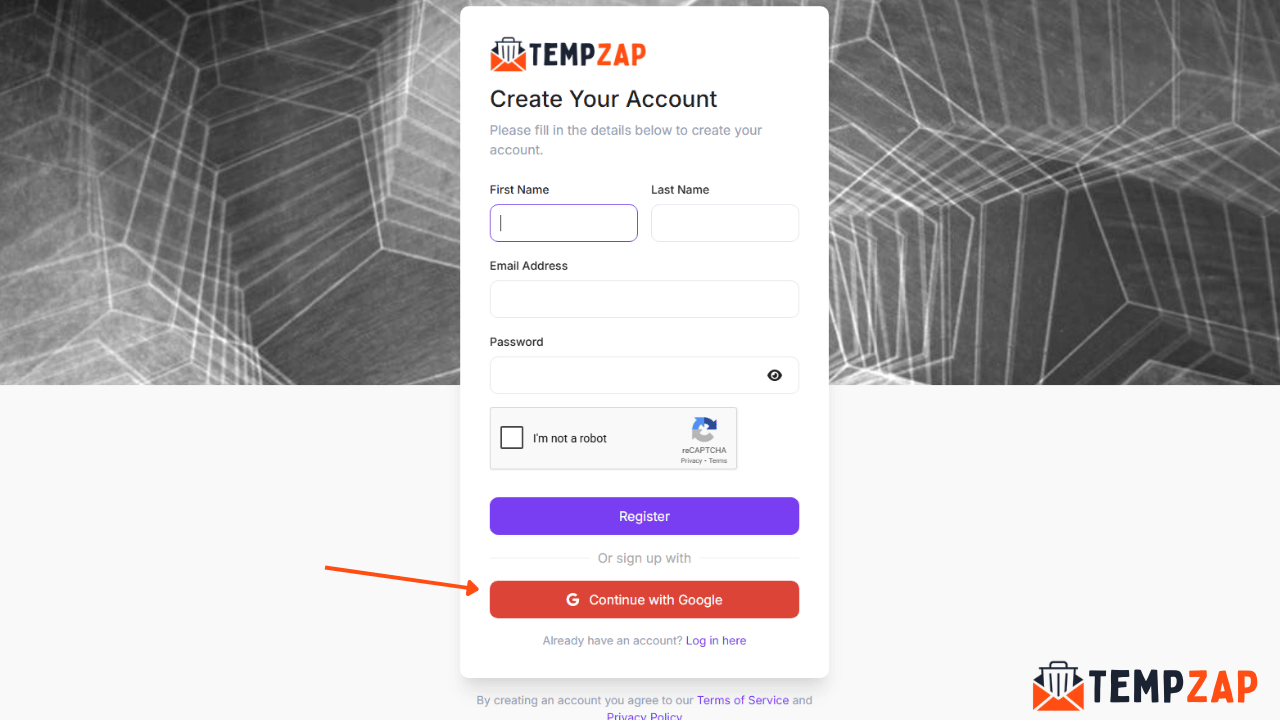
Once logged in, you will gain access to premium temporary email features.
Step 2: Go to Your User Dashboard
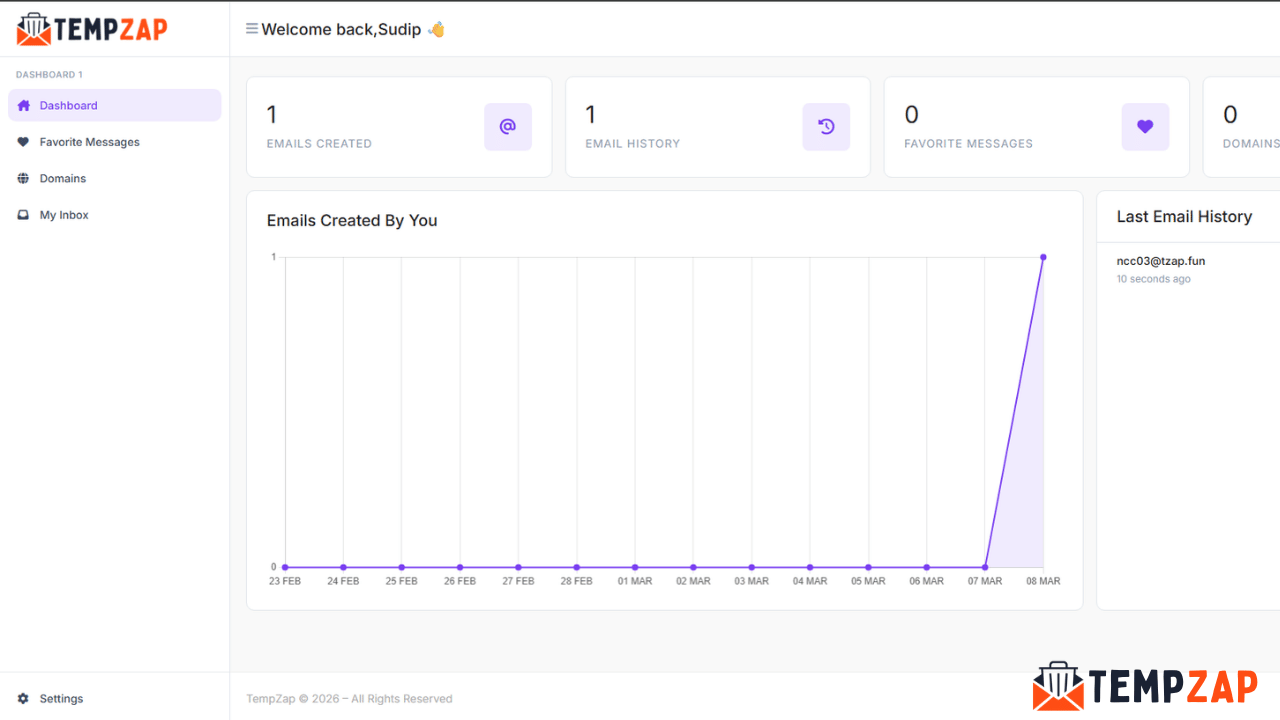
After logging into your account:
Open the User Dashboard.
Navigate to the My Inbox section.
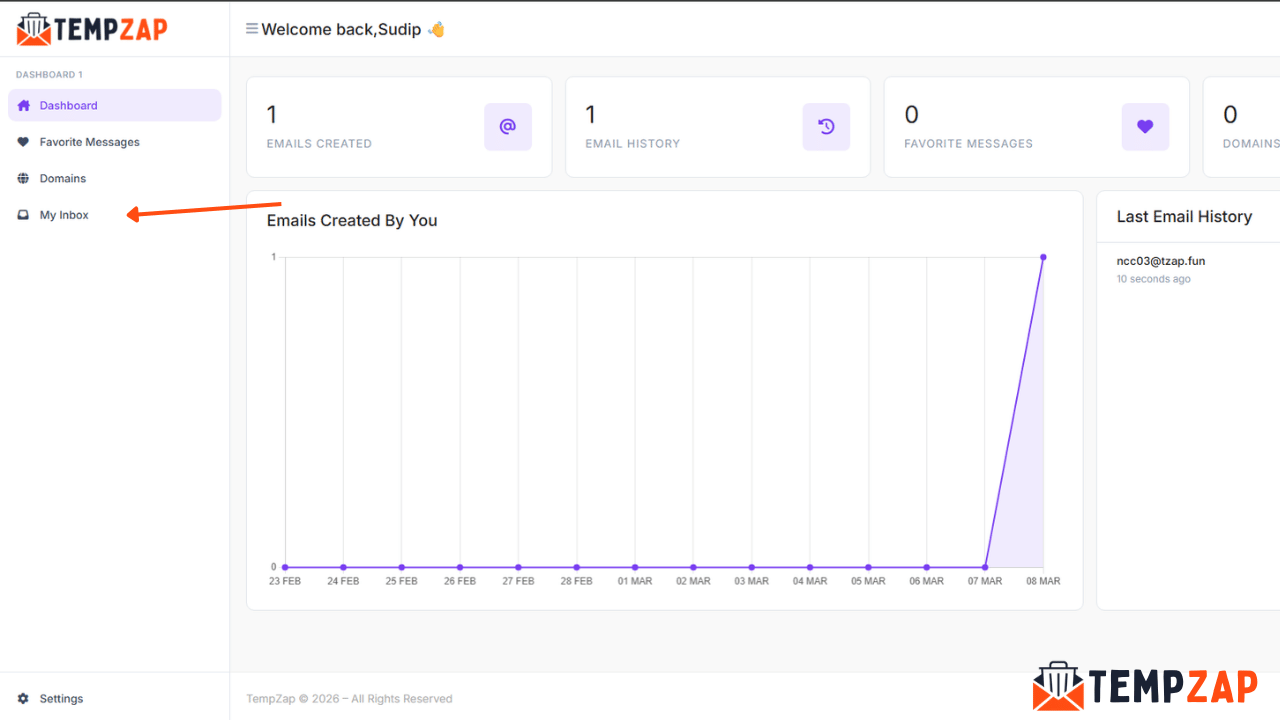
This is where you manage your temporary email address and incoming messages.
Step 3: Click on Change Email
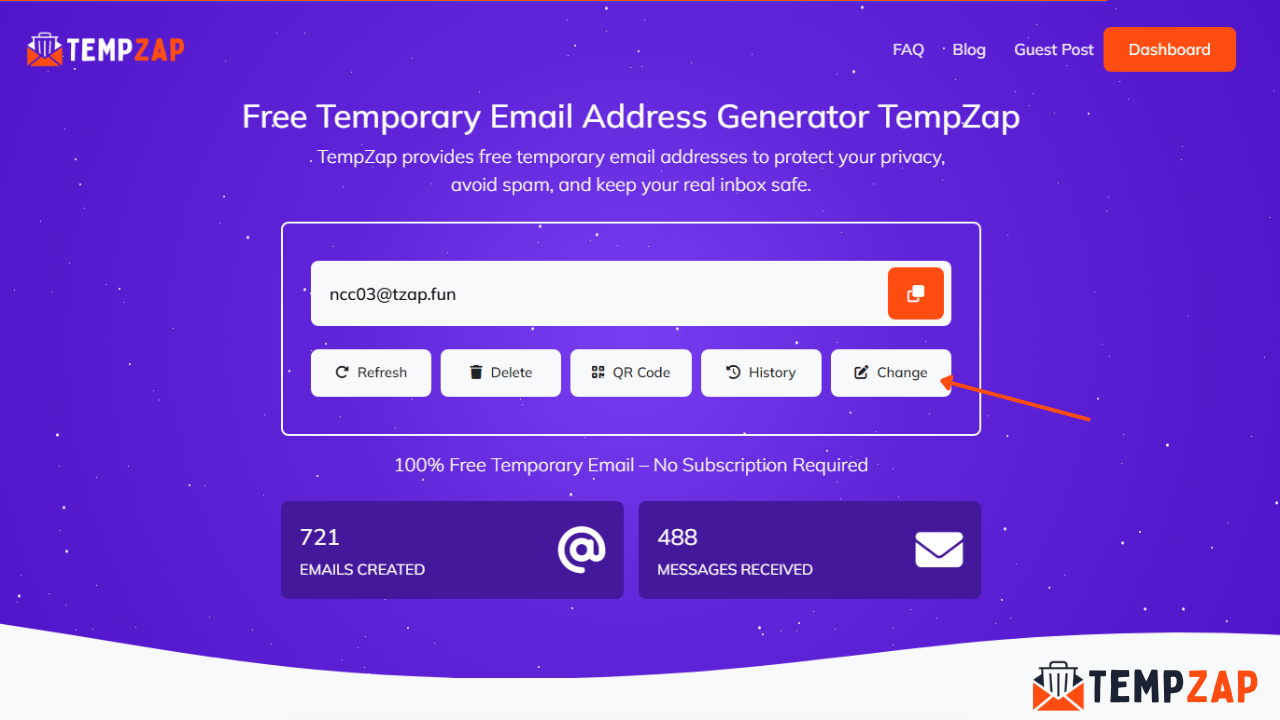
Inside the My Inbox page:
Click the Change button.
This will open the email customization settings.
Here you can modify your temporary email address.
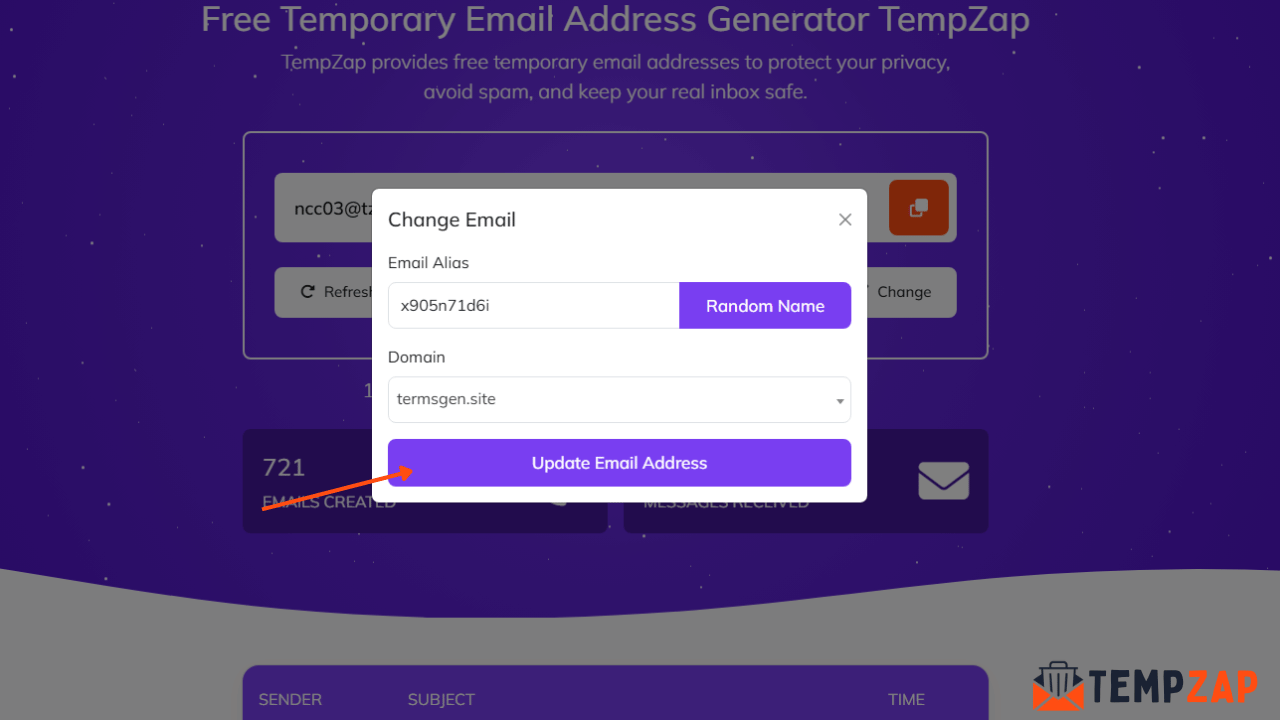
Step 4: Select a Premium Domain
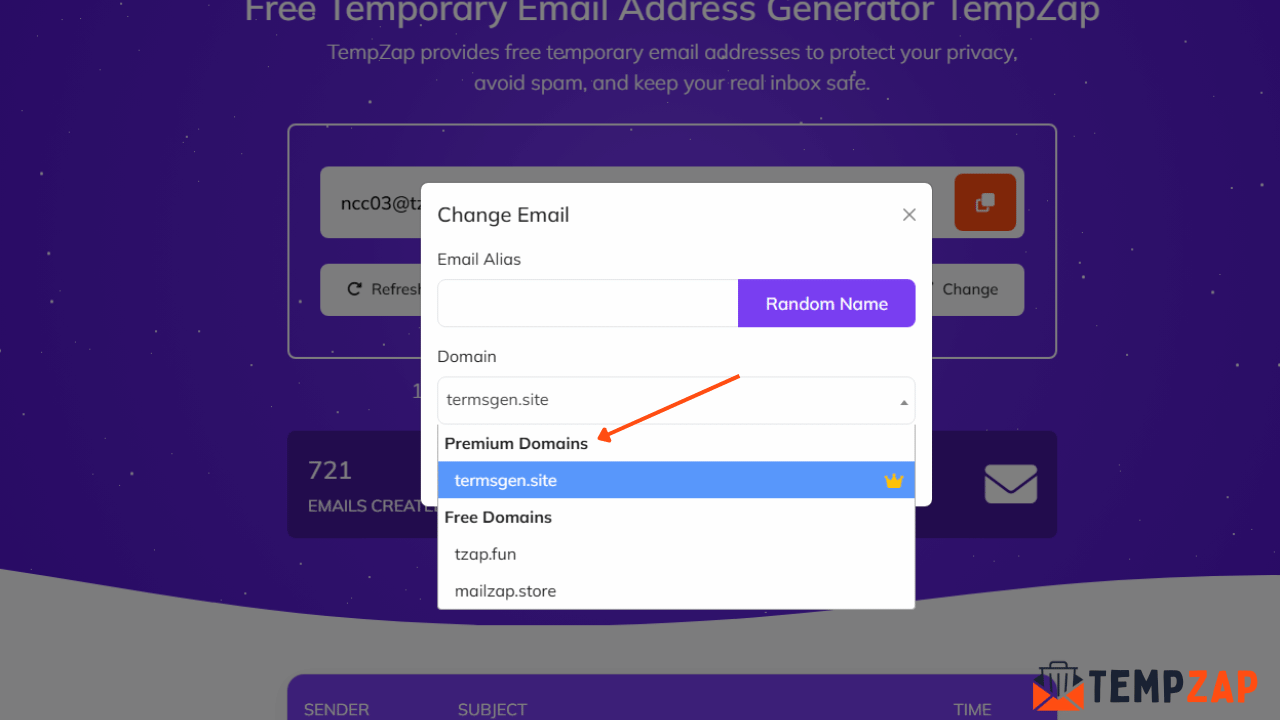
Next:
Click on the Domain dropdown.
Choose one of the Premium Domains available.
Premium domains are more trusted and are accepted by most websites that normally block disposable emails.
Step 5: Enter an Email Alias
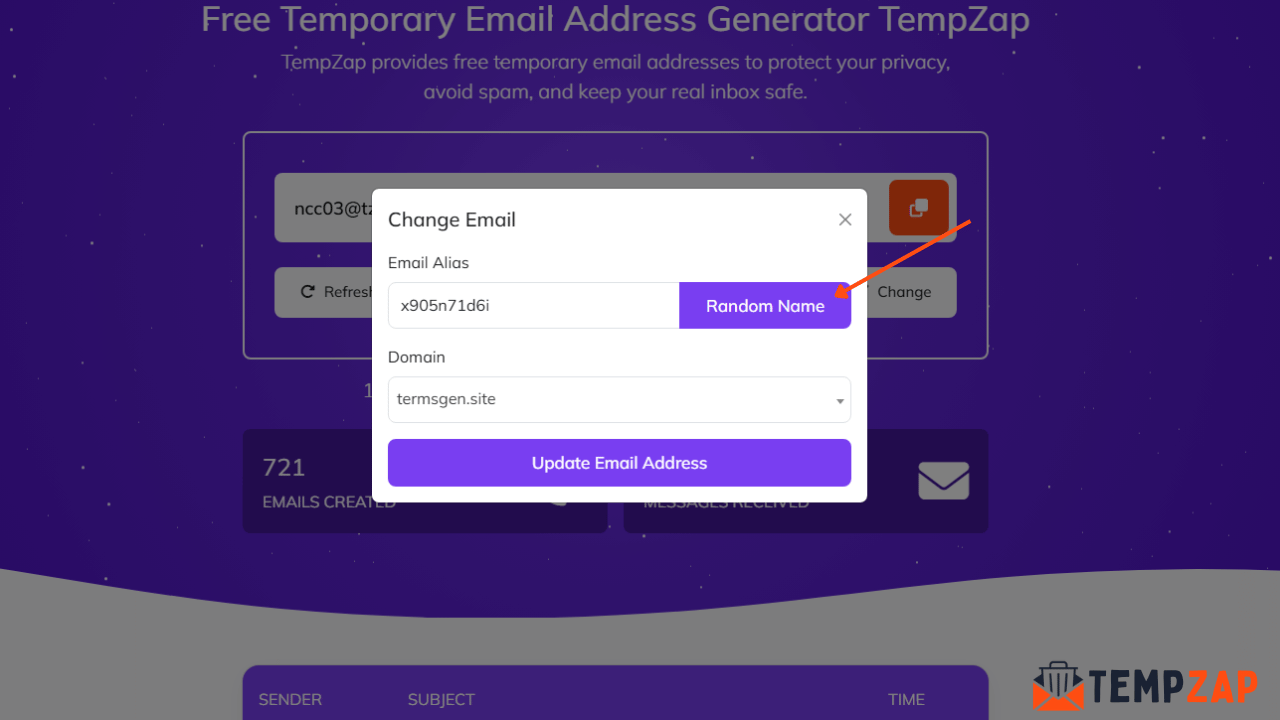
After selecting the premium domain:
Enter any Email Alias you want.
Example:
john
Your final email will look like:
If you do not want to choose a name manually, simply click Random to generate a random email alias automatically.
Step 6: Update Your Email Address
Finally:
Click Update Email Address.
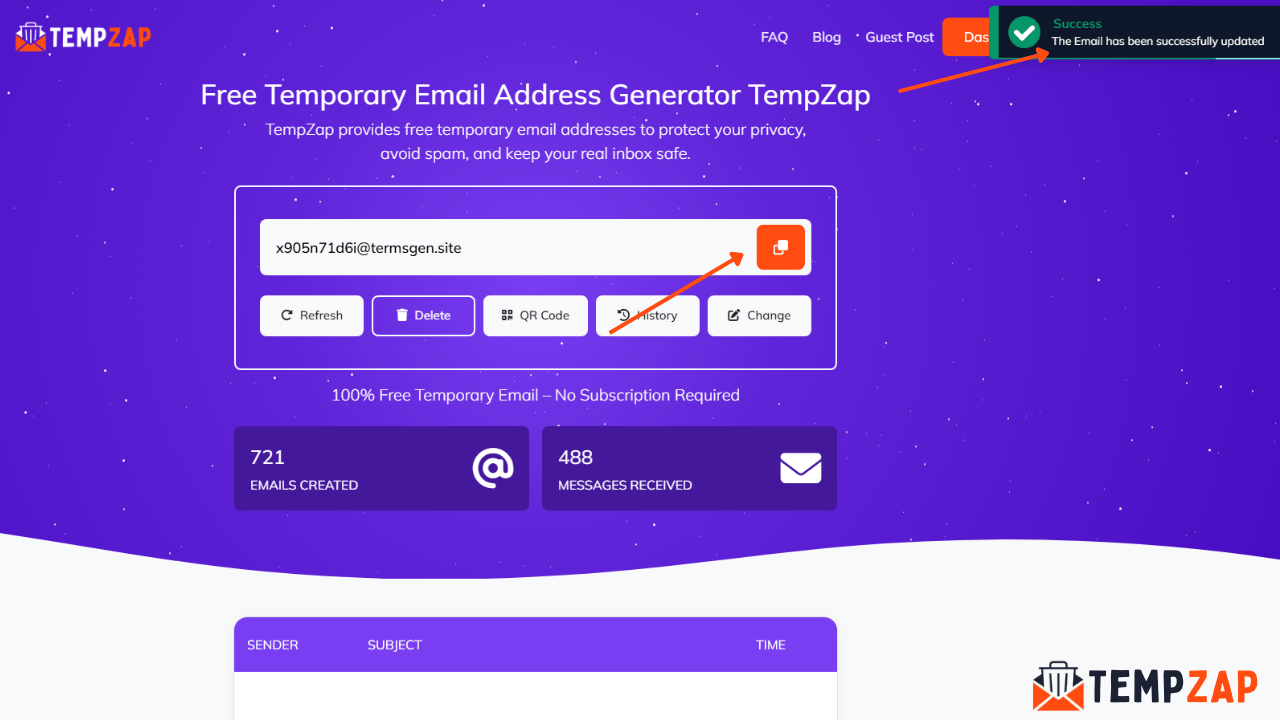
Your premium temporary email will be created instantly.
Now you can start receiving emails using your premium TempZap inbox.
Benefits of Using Premium Temporary Mail
Using premium temp mail on TempZap provides several advantages:
Better Website Compatibility
Premium domains are more likely to be accepted by websites that block common disposable email services.
Improved Email Privacy
You can sign up for services without exposing your personal email address.
Free for Registered Users
Unlike many platforms that charge for premium domains, TempZap offers them free for logged-in users.
Easy Email Management
Users can easily change email aliases, select domains, and manage inbox messages from their dashboard.
Tips for Using Premium Temp Mail Safely
To get the best experience with premium temporary emails:
Use premium domains when registering on websites
Avoid using temporary emails for sensitive accounts
Regularly check your inbox for verification messages
Keep your TempZap account secure
Following these tips ensures a smooth and secure experience.
Conclusion
Premium temporary mail on TempZap is a powerful feature that helps users create temporary email addresses that work on most websites. By simply creating an account and selecting a premium domain, you can enjoy a more reliable disposable email experience.
If you want a secure, spam-free, and privacy-focused email solution, TempZap’s premium temporary mail is the perfect choice.
Create your account today and start using premium temporary email domains for free.